 squinch
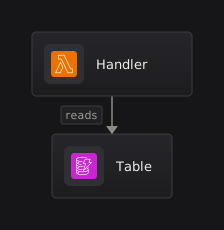
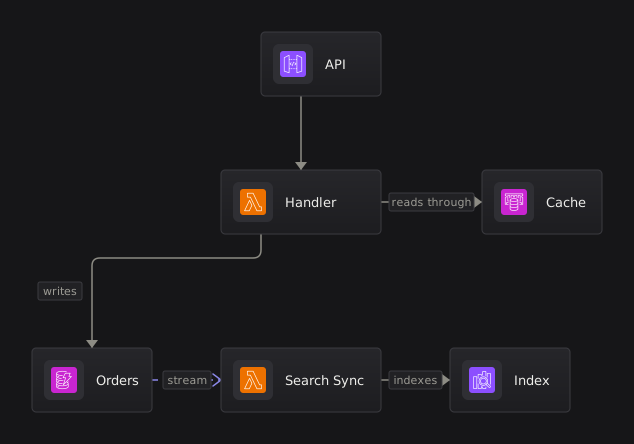
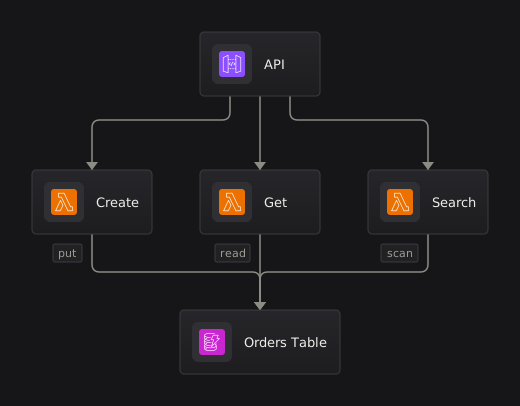
The smallest useful diagram: one system, a few components, and the connections between them. Everything else here builds on this shape.
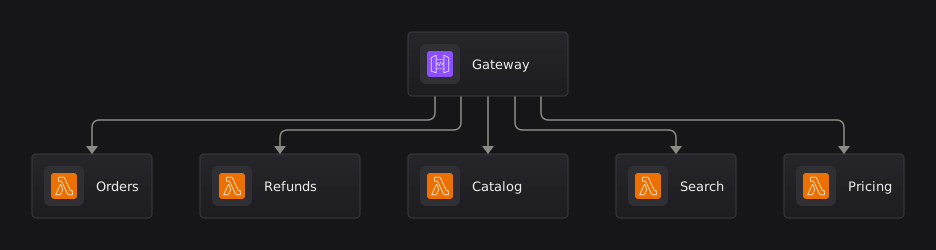
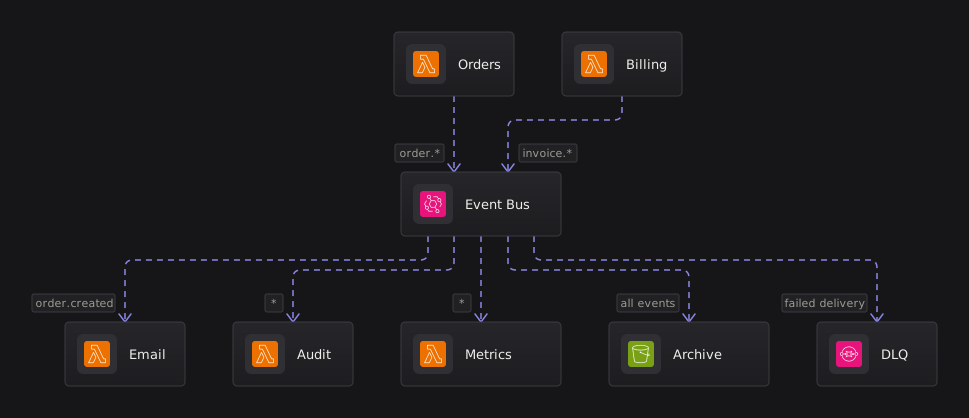
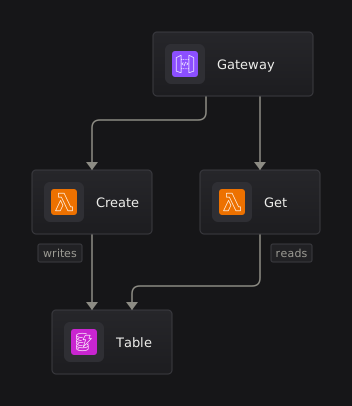
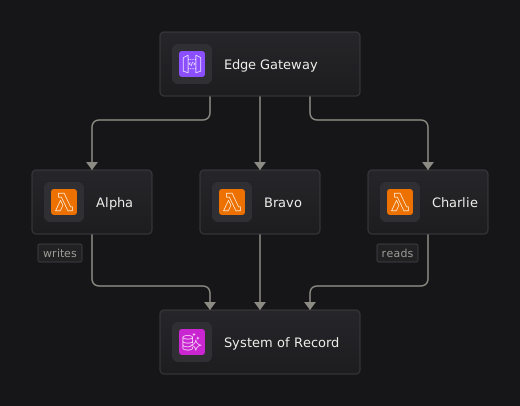
One entry point feeding many handlers, written as one edge with a list of targets. Connections spread evenly along the edge of a node rather than stacking at a single point, so the fan stays readable.
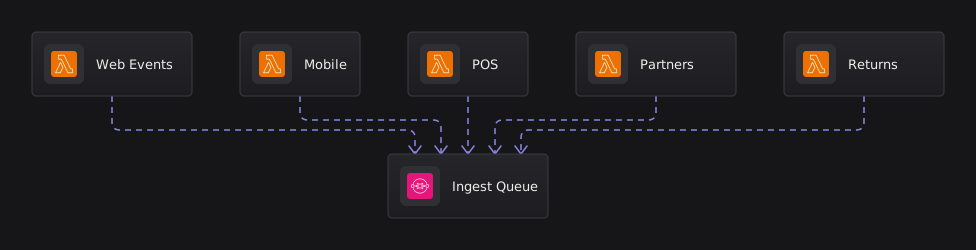
The reverse shape: many producers all feeding one destination, written as separate edges. This is what several of them arriving at the same point looks like.
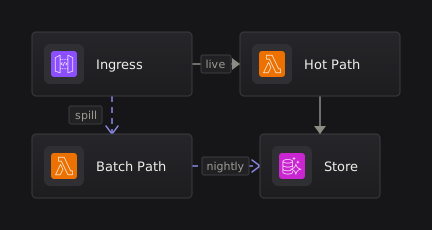
A pipeline read left to right. Set direction right on a view and the stages run across the page instead of down it; the same source with no layout block reads top to bottom.

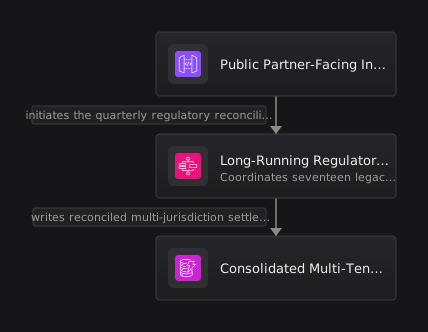
What happens when the names are long. Labels wrap, then trim with the full text kept for hover, and the small pills on connections step aside rather than overlapping each other.
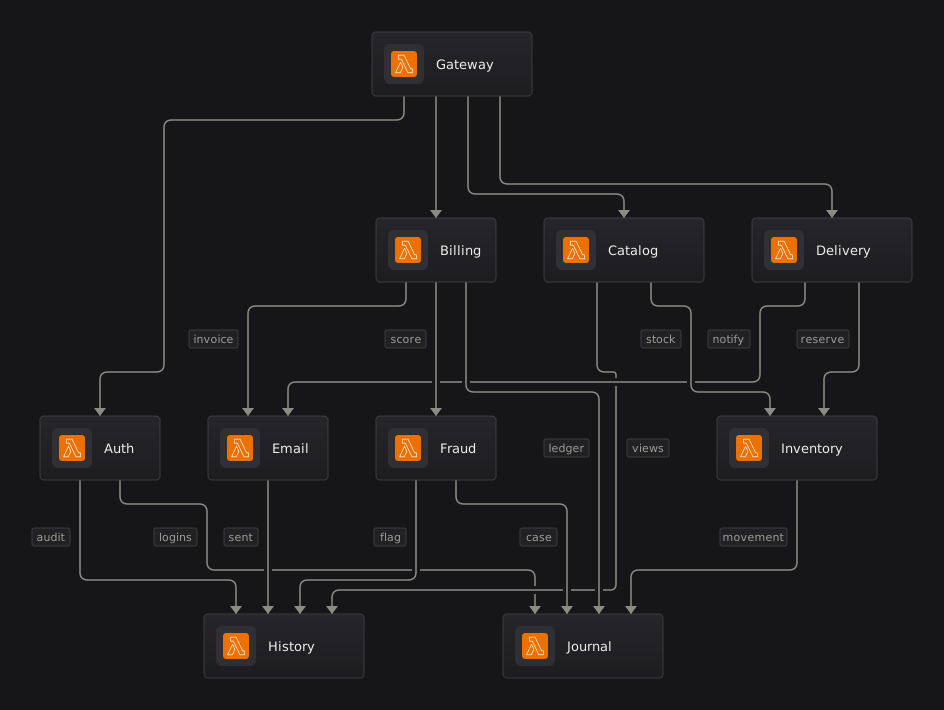
Ten services that all talk to each other. Where wires have to cross, the crossing takes a small break so it can never be mistaken for a junction.
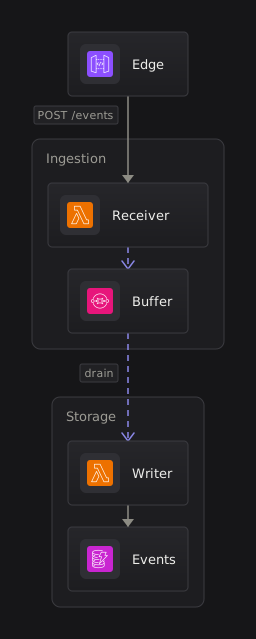
Containers opened up inside a system with expand. Each level of nesting sits on a slightly different surface, so depth is visible without heavy borders.
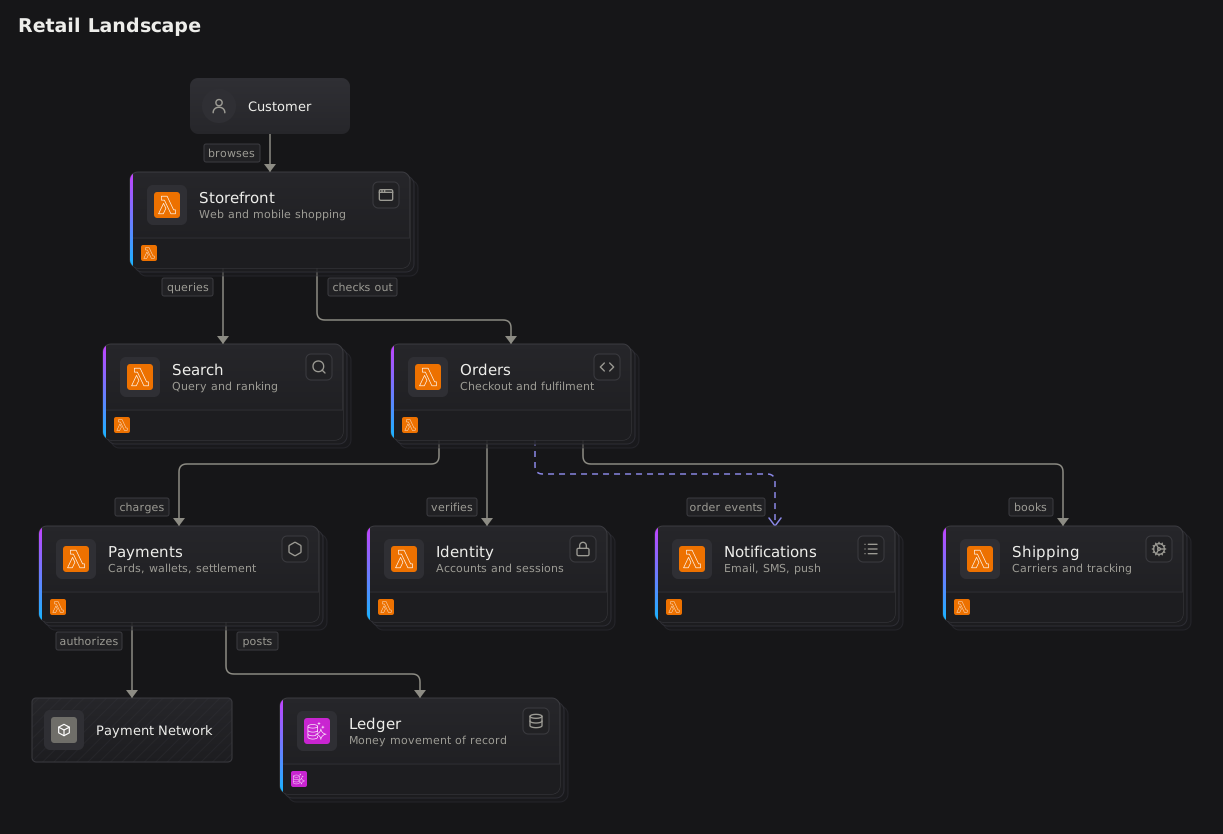
The top-level view of an estate: each system is a card, with the people and outside parties that touch it. A card carries a badge for what kind of thing it is and a preview of what is inside.
Connections between things on the same row. Neighbours join straight across; ones that reach past a node drop into a lane underneath so they never run through anything; and two neighbours that talk both ways take two lanes on the faces they share, one wire above the other, rather than one line with both arrowheads on it.

Annotation. highlight picks out everything carrying a tag and dims the rest, and note pins explanatory text to a node, a connection, or a corner of the diagram. Tag a connection itself and that wire lights up even when the things it joins stay dim.
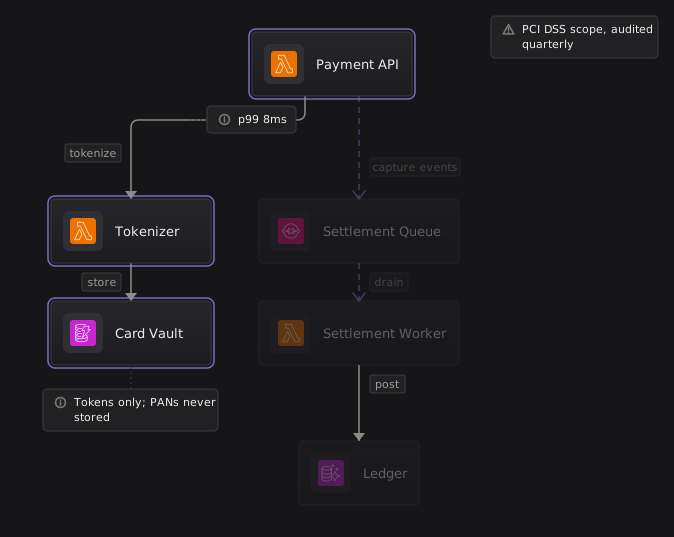
Asynchronous connections, written ~>. They draw dashed and drift slowly towards their target, so an event-driven estate reads differently at a glance from a request-and-response one.
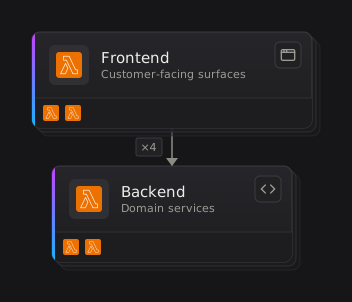
Zoomed out, several connections between the same two systems collapse into a single line with a count on it. Zoom in and the individual connections are still there.
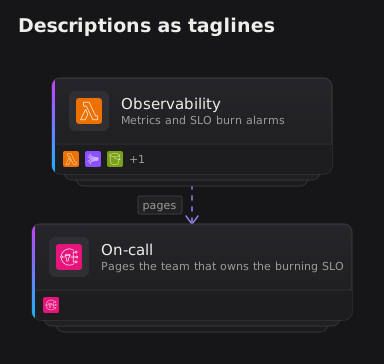
description: is prose — a sentence about what a thing does. It shows as a system's tagline on its collapsed card and never draws inside a leaf, whose second line is subtitle:. The landscape shows the taglines; the scoped view shows the same leaves with their subtitles.
place puts one node beside another instead of below it — the shape you want for a cache, a stream processor or a dead-letter queue that belongs next to the thing it serves.
The same diagram at all three density settings, from compact to spacious. Density scales the gaps only — nodes, icons and type stay the same size, so a compact render fits more on the page without shrinking anything you have to read.
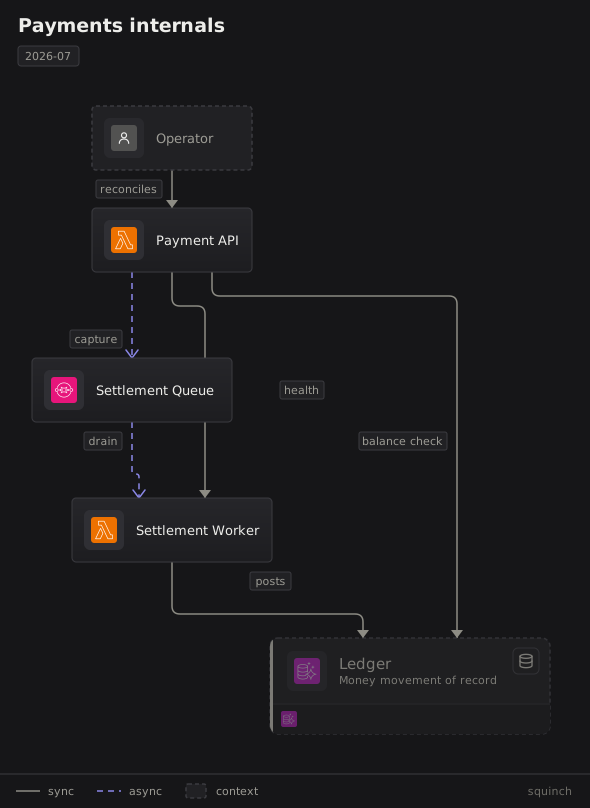
Footer furniture. legend auto explains the line styles the diagram uses; titleblock stamps the drawing. Four keys are drawn canonically — subtitle under the title, version, mono commit and a dimmed date in the meta chip — and every other key appends as its own chip segment.
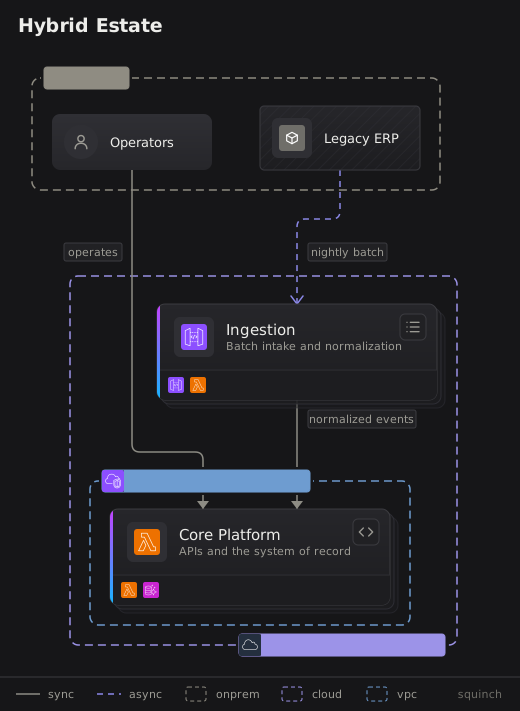
zone draws a deployment boundary — a cloud, a VPC, an on-premises site — around whatever sits inside it, cutting across the ownership structure, and zones nest. detail: adds a hard fact — a CIDR block, an account — as a mono segment on the chip.
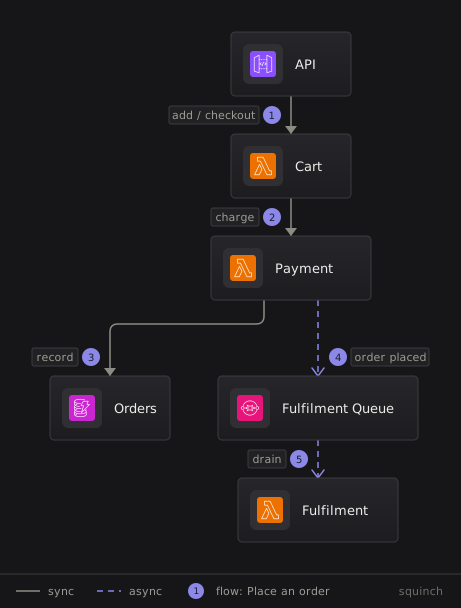
flow numbers a path through the diagram, so you can show how one request actually travels. In the playground you can step through it a hop at a time.
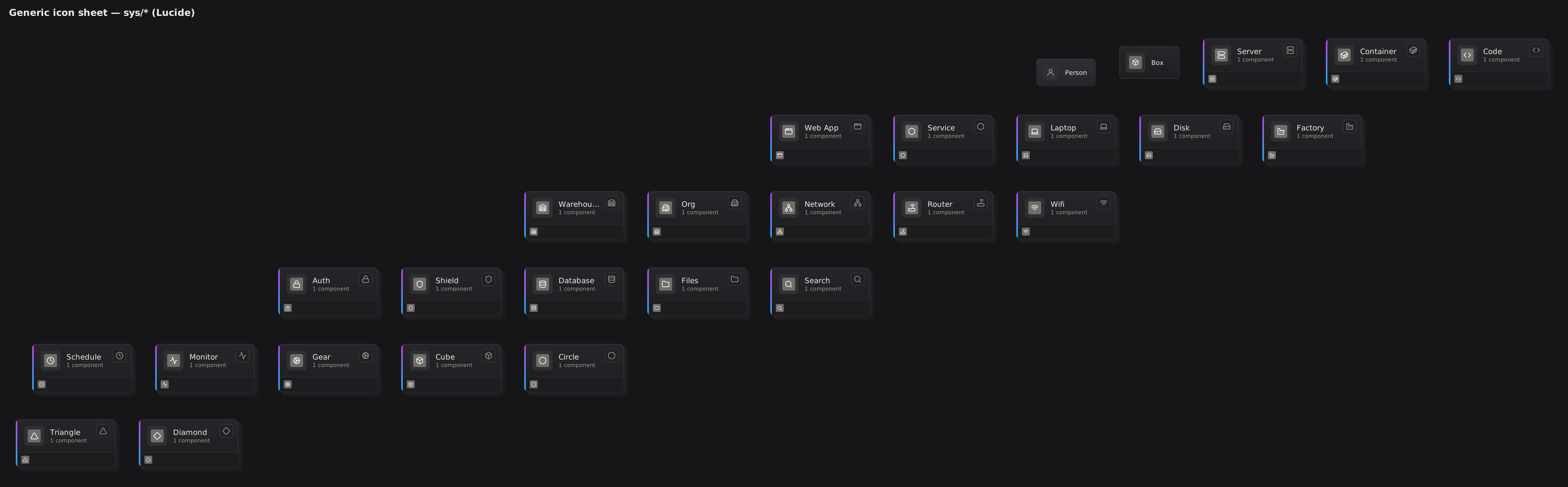
The sys icon set: generic marks for servers, storage, networking and plain shapes, for the parts of a stack no vendor draws. Each one is shown twice, as a small badge on a card and at full size. A sample rather than the whole set.
align puts two nodes on exactly the same axis, for when the automatic layout leaves them a few pixels apart and the near-miss looks like a mistake.
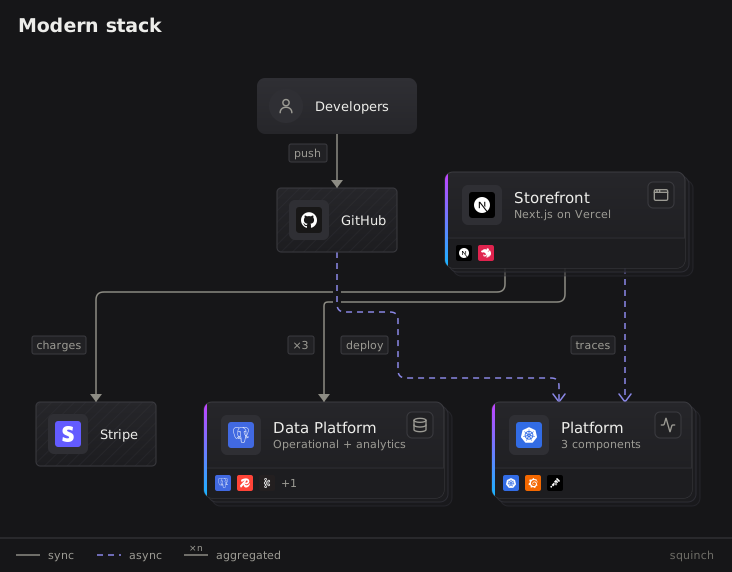
The logos pack: marks for the frameworks, databases and tools that make up the half of a stack your cloud provider did not build.
channel merges several connections into one trunk where they all arrive at the same place, so a shared store is approached once instead of by a fan of near-parallel lines. The connections are still declared individually.
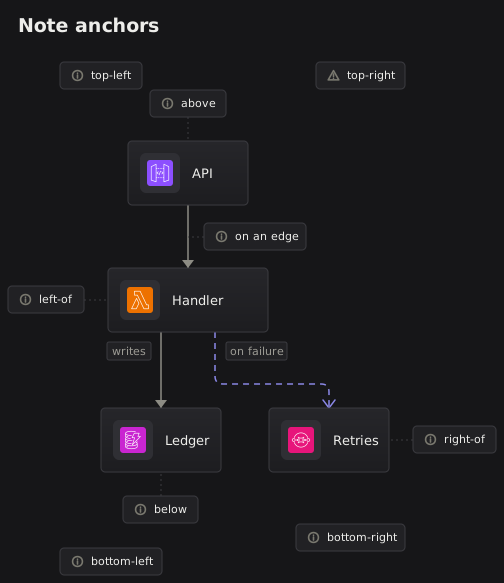
Every place a note can go: beside, above or below a node, attached to a connection, or pinned to one of the four corners of the diagram.
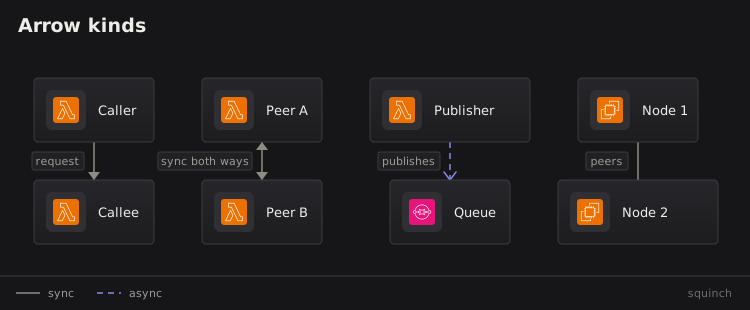
The four kinds of connection — one-way, two-way, asynchronous, and undirected — and how each one is drawn.
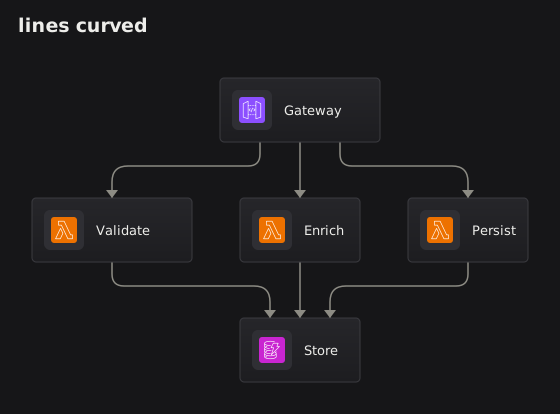
The lines setting, three ways over the same diagram: orthogonal turns square corners, curved rounds them off, and straight runs point to point. How an edge is drawn and moves is style: and animate:, case 29-edge-styles.
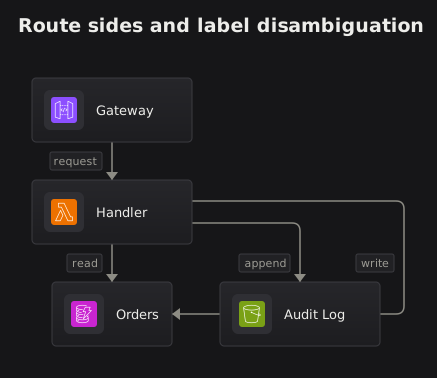
route controls which side of a node a connection leaves and enters by. When two connections join the same pair of nodes, naming one of their labels picks the one you mean.
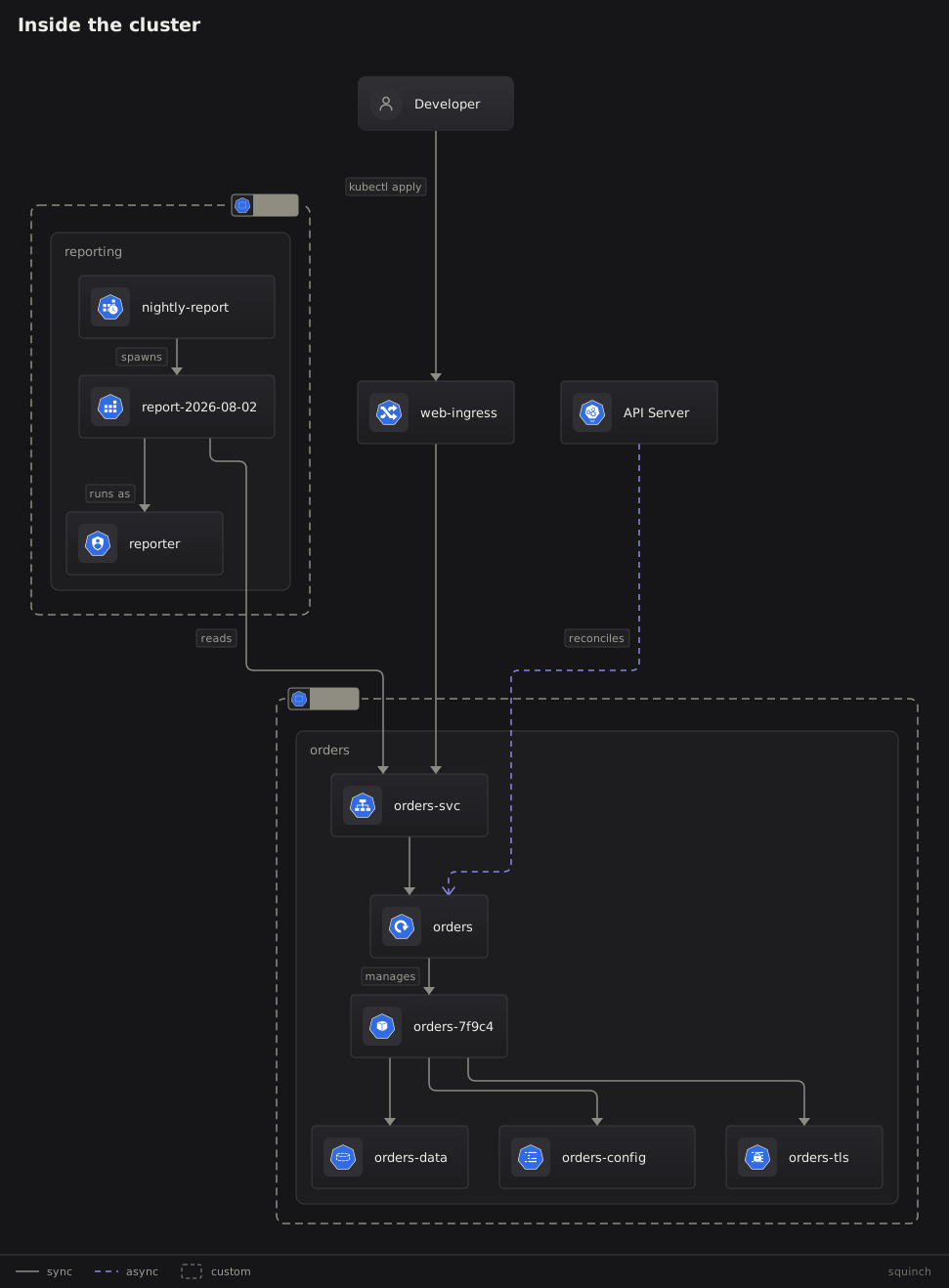
The k8s pack: the official community icons, drawn full-colour like aws and azure. Canonical ids are kubectl's short names and the long forms alias to them; both spellings appear here. A namespace draws as a zone with icon: k8s/ns, and the two share a row with the cross-namespace call routed between them.
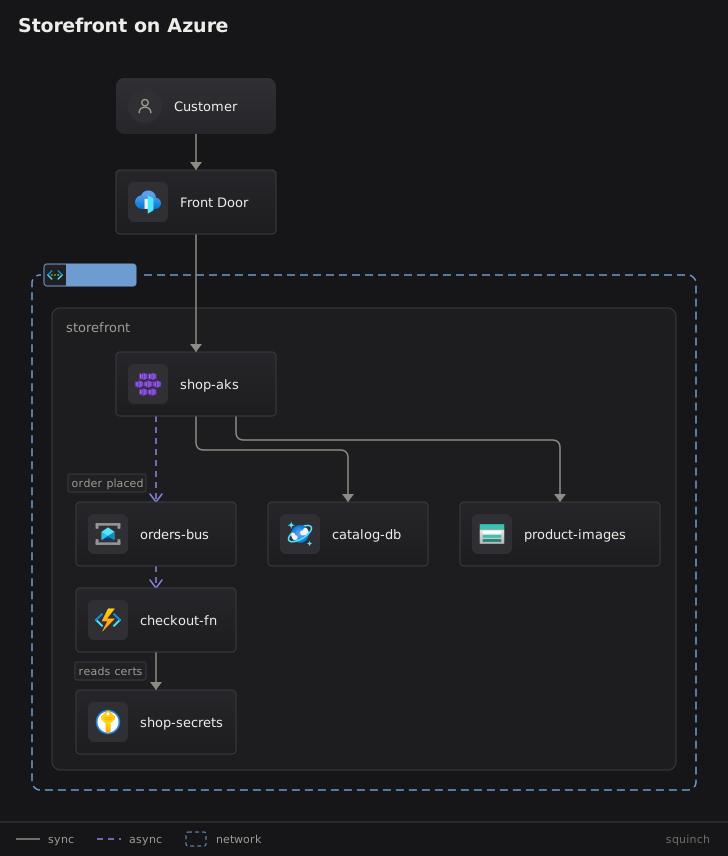
The azure pack: Microsoft's official Architecture Icons, drawn full-colour like aws and k8s. Long marketing names alias to the short forms people type (azure/vnet, azure/aks, azure/cosmos). A virtual network draws as a zone with icon: azure/vnet.
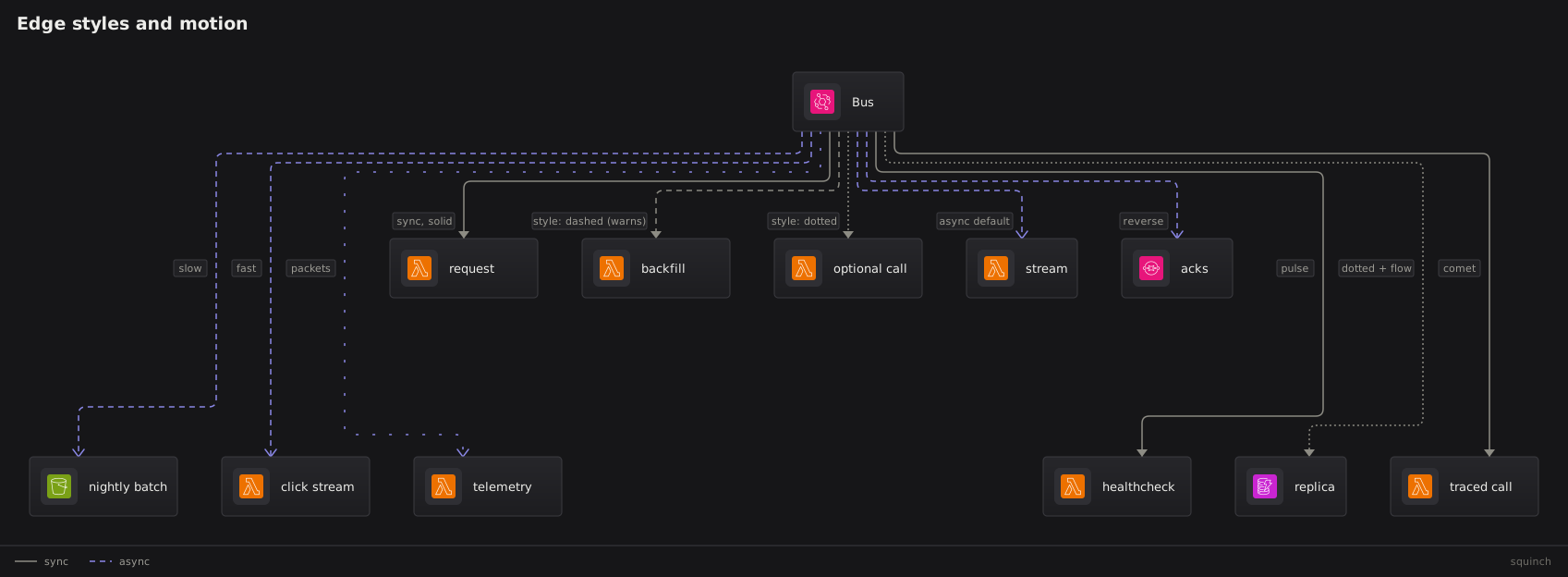
How an edge is drawn and how it moves: style: solid | dashed | dotted and animate: flow | reverse | slow | fast | packets | pulse | comet, one hub with each spoke showing one thing. Travelling dashes need a pattern, so a synchronous edge animates with style: dotted; pulse breathes on a solid line, and comet rides a dot along the route. How an edge travels between nodes is lines, case 25-edge-routing.
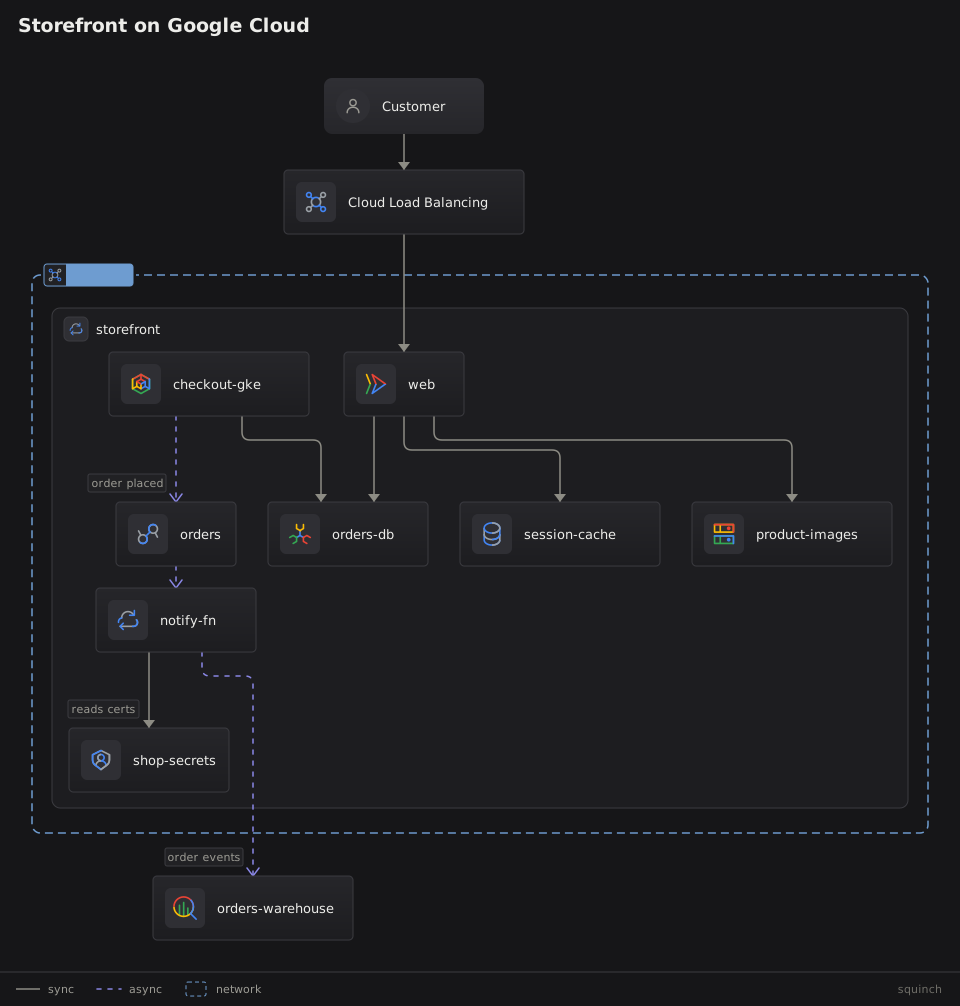
The gcp pack: Google's current (2025) product icons, drawn full-colour like aws and azure. Nineteen core products carry their own four-colour mark (gcp/cloud-run, gcp/gke, gcp/bigquery, gcp/spanner); every other product draws as its category's two-colour glyph, by Google's design, and resolves by name (gcp/pubsub, gcp/cloud-functions, gcp/memorystore) — the label names the product, the icon says the category. A VPC draws as a zone with icon: gcp/vpc.
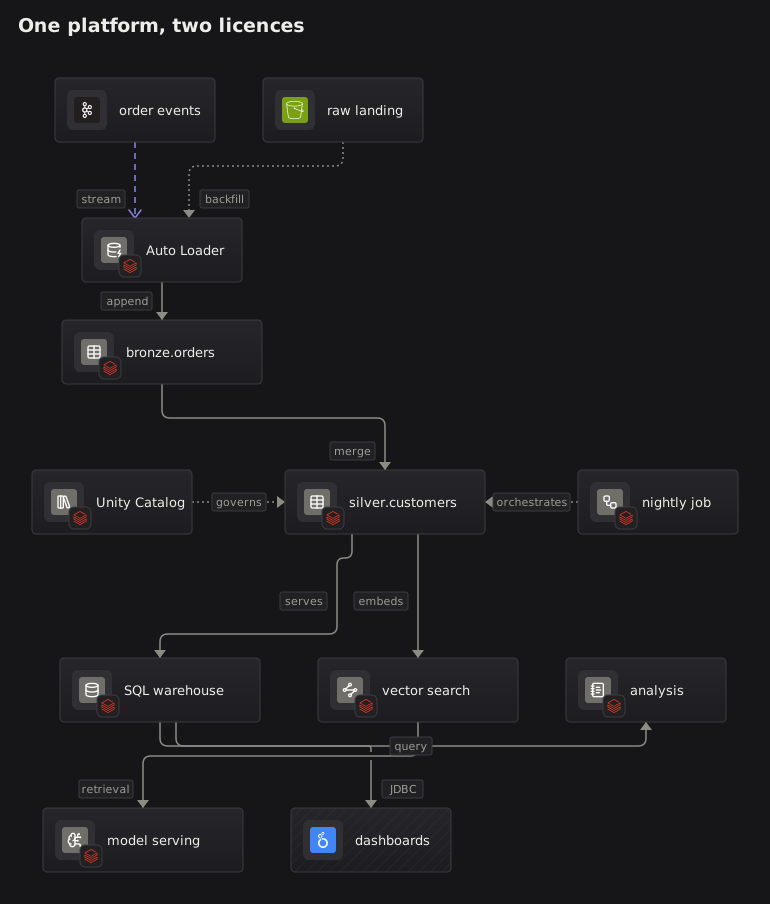
badge: composites a vendor mark onto a node's icon plate, for platforms with no icon pack: a sys/ icon says what the thing is and a logos/ mark says whose it is. Here every Databricks-owned node carries the mark.
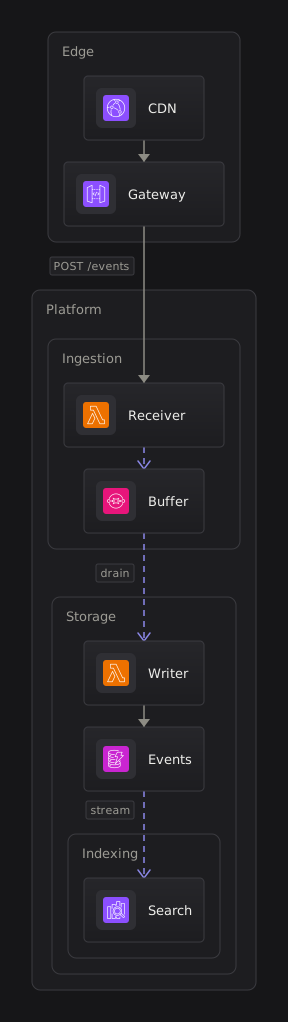
expand * opens every container to leaf depth in one view. Frames nest; only the outermost carries the recessed fill.
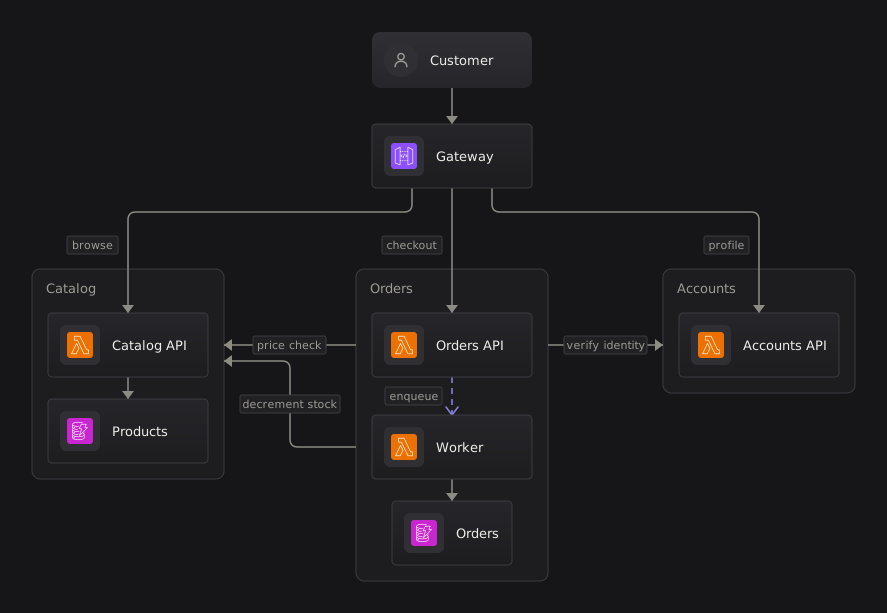
Expanded systems side by side, with calls running between them. Same-rank edges route through the gutters between the frames and continue to the card itself where the way in is clear.
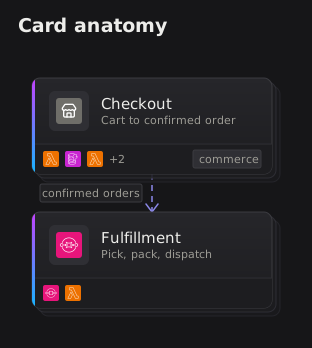
The card shelf: icon: picks the card's own mark instead of the first child's, domain: stamps a chip on the shelf, and past three children the preview strip truncates to +N. The second card declares neither and shows the defaults.
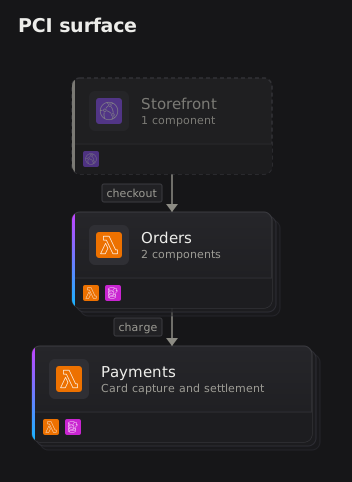
The view verbs beyond scope: only #pci keeps just the tagged slice, detail draws an outside caller at its real depth instead of as its system's card, and context off clears the muted periphery.
rows pins ranks, cols pins the cross axis, and together they are the grid the language has no third construct for: rows [a b] [c] composed with cols [a c] [b] is a 2×2 with one corner empty.
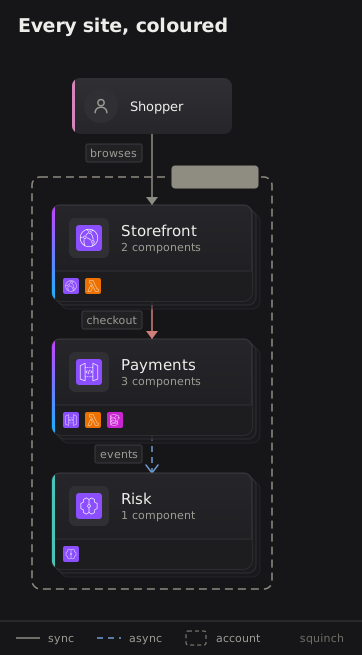
color: — nine hue words (red, amber, green, teal, blue, violet, pink, gray, accent), never hex. A leaf, person or system takes a spine down its left edge, an edge its stroke and head, a zone its outline. The lens view colours by tag instead — color #money red — and earns a legend entry per tag.
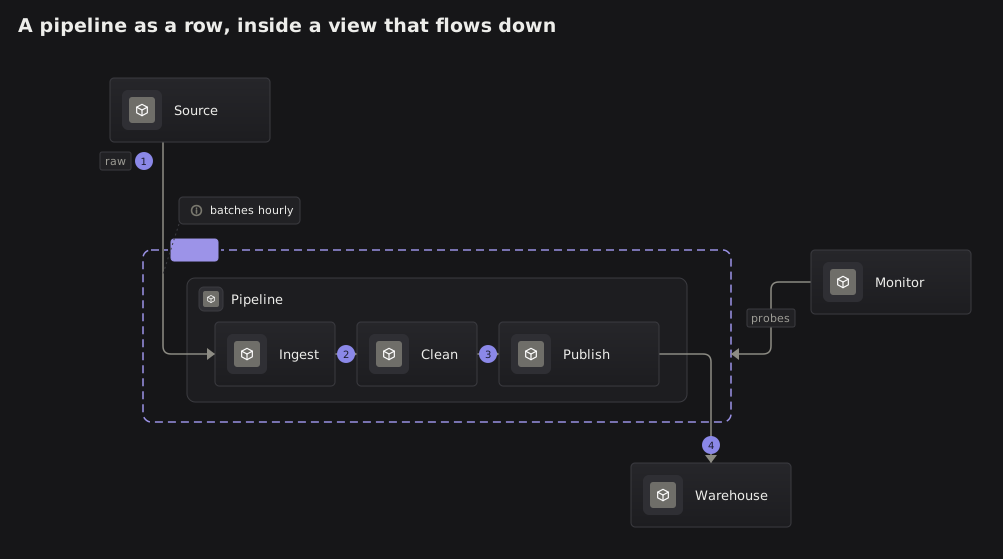
direction right in a system's layout block lays its interior out as a row wherever the system is opened, inside a view that still flows down. Edges crossing the frame enter and leave through its wall on the way to the stage they name.
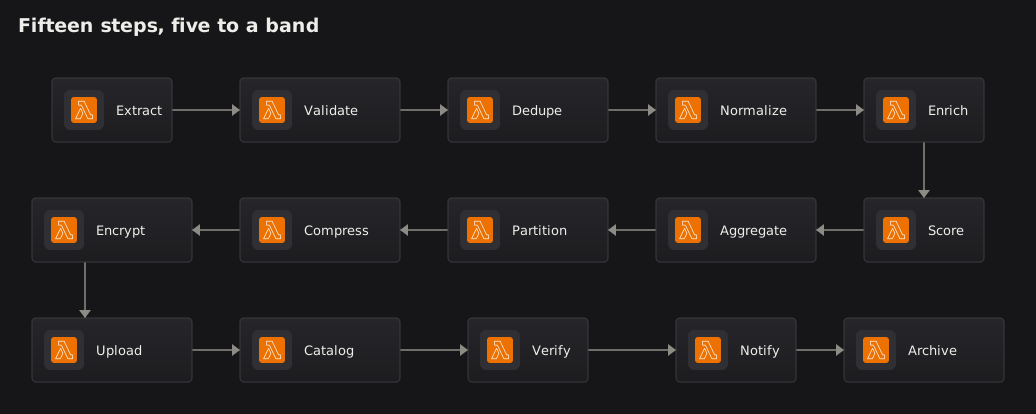
wrap N folds a diagram to an aspect ratio: a single chain becomes a serpentine, and a single source's fan-out folds into bands under it with the band-skipping edges drawn as one bus. Any other shape warns and names the rows line to write.
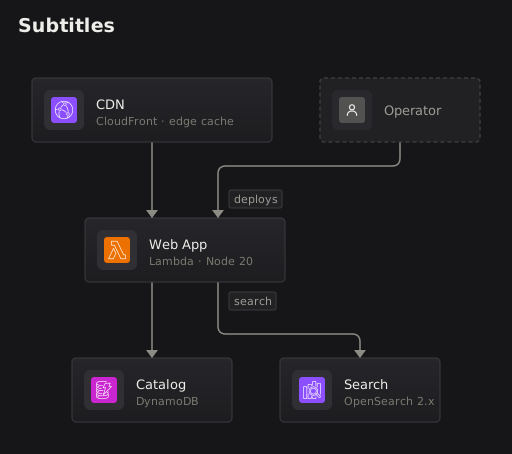
subtitle: — a leaf's short second line, always drawn: what it runs on, who owns it, where it lives. The check warns past 24 characters; longer detail belongs in description:.
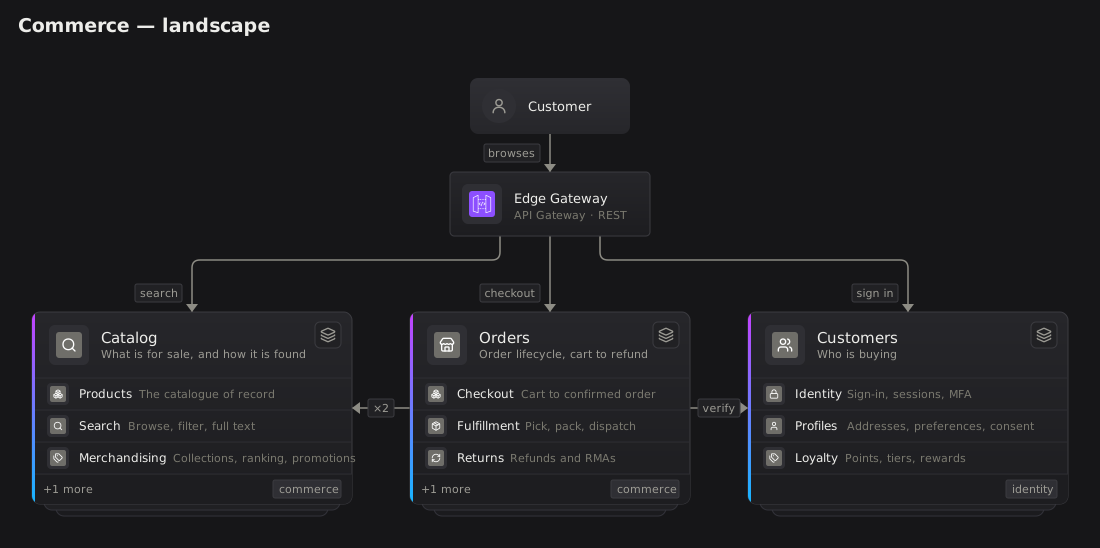
The detailed card. A domain is a system whose children are systems, and at landscape altitude its card can say what those are: preview * draws every card with the three children its preview: names as readable rows — icon, name, description — under the same head, with +N more on the shelf for the rest. Still a card: every wire lands on it, and a dive opens the whole domain. Orders and Customers name their three; Catalog leaves preview: off and gets the first three declared. The second view is the same model with the verb removed — the chips are the same three, at 16px.
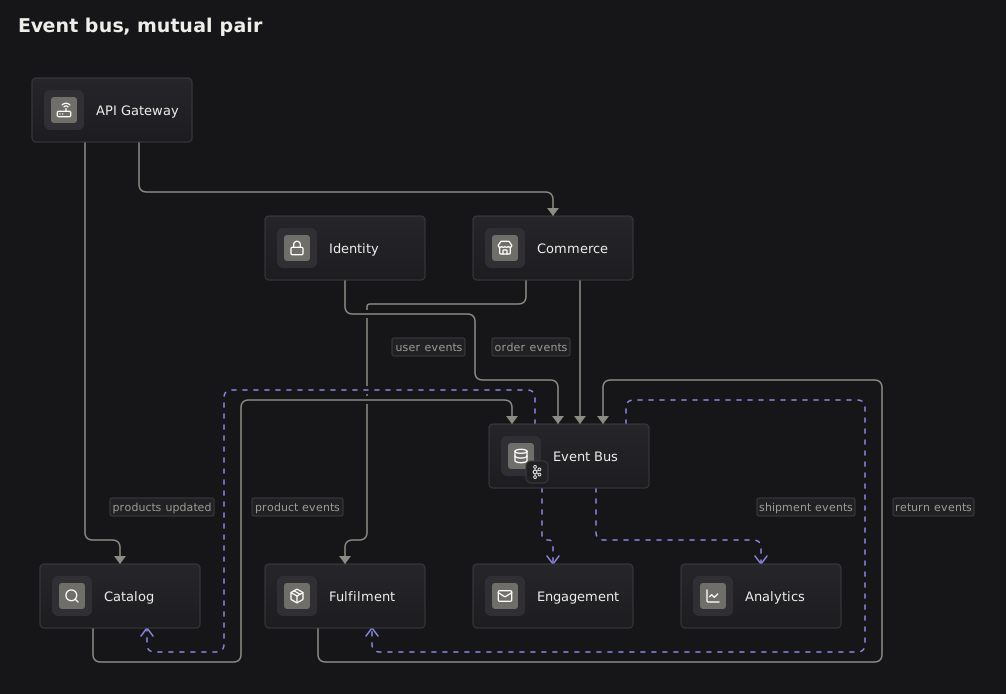
A bus that one area both publishes to and consumes from — catalog -> bus and bus ~> catalog lift to a mutual pair with no rows anywhere. Ranks break the cycle the way ELK does (the first-declared edge wins), so the pair lands on two ranks and both edges are ELK's. Before that, the rank relaxation ran out its pass budget on the cycle, the pair tied by accident, the router classified both edges same-rank and drew each straight at its own height — ending in canvas beside the other card.